From schedule to stage, keep every room in sync.
Turn your program into coordinated rooms: a live schedule for attendees, questions from their phones, a countdown for every speaker, and printed materials that match. No attendee app. Pay once per event.
Free to set up and preview. Publish from $19.99 per event. No subscription.
▶ Watch how it works (2 min) · Running a room (2½ min) · What attendees see (1 min)
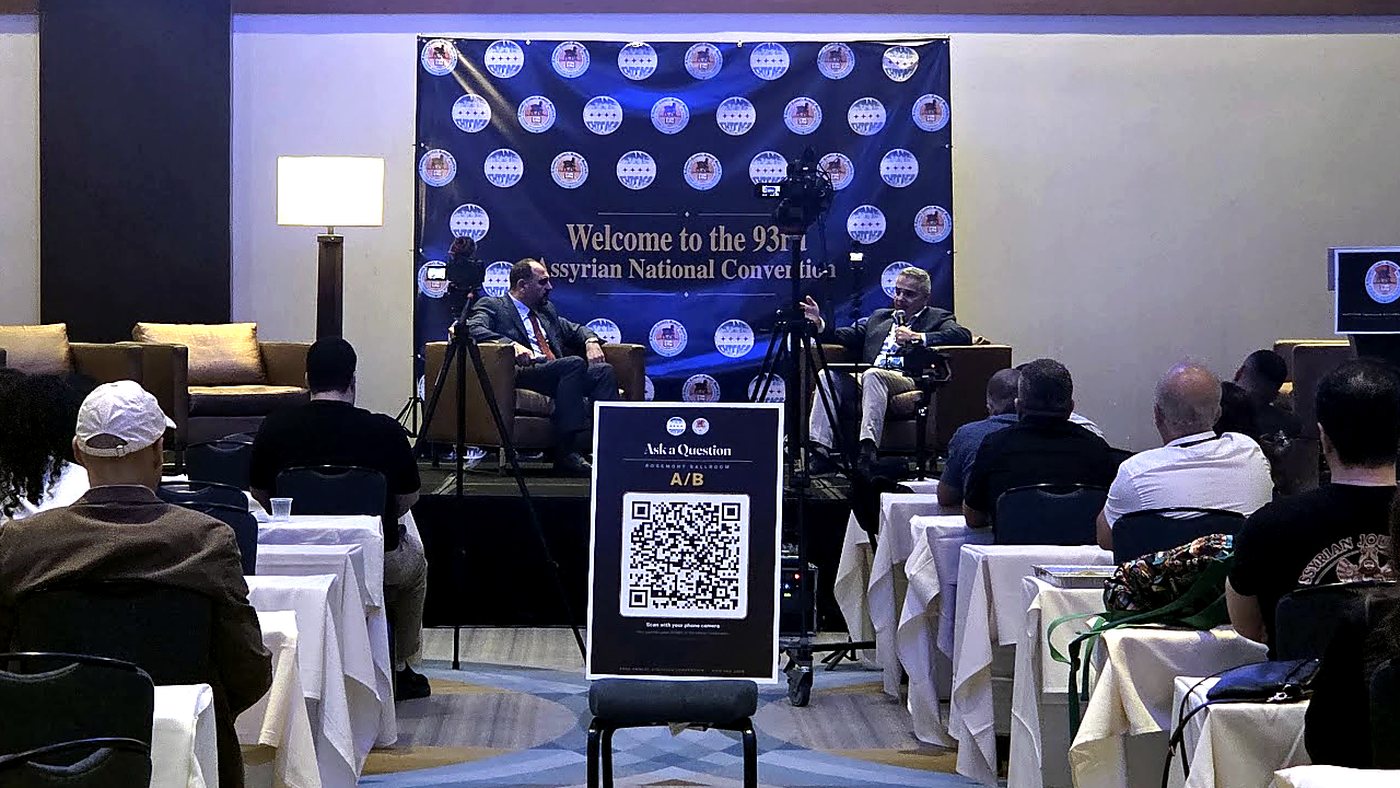
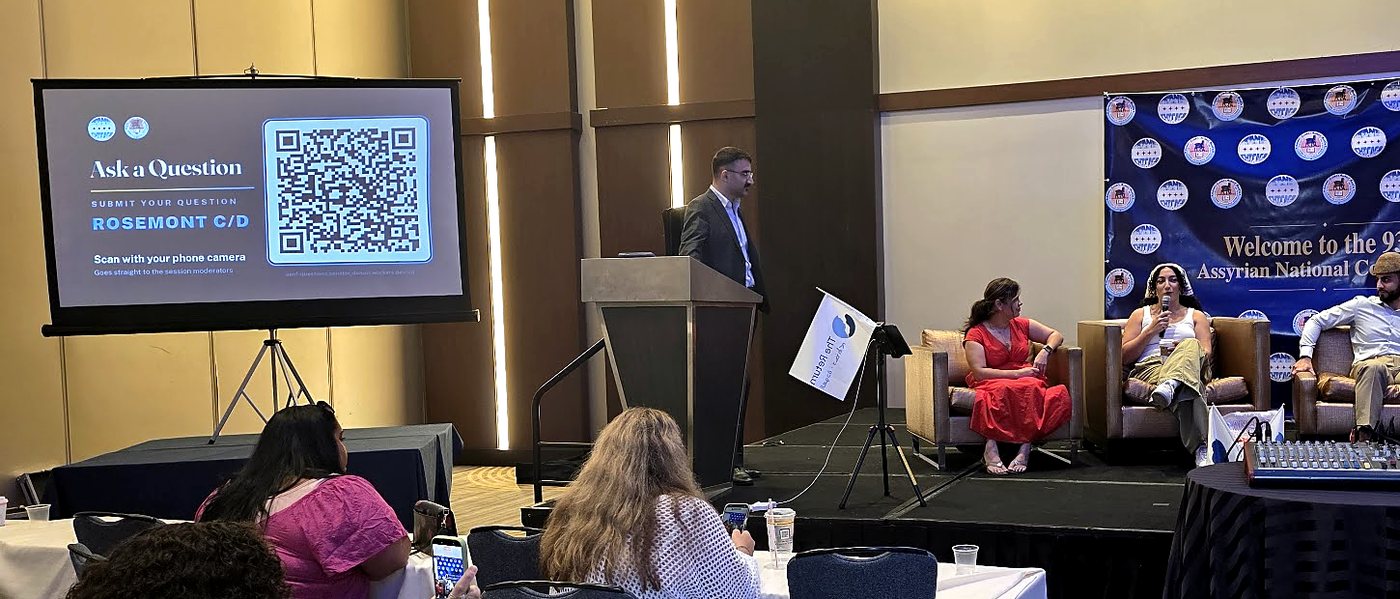
The Assyrian American National Federation's 93rd annual convention
Rooms running side by side over four days: more than 3,000 attendees checked the schedule from their phones, hundreds of audience questions were submitted, and no downtime was observed. Born at real conventions, built for the next one.
Every room, on schedule.
Four things an organizer does with Nownex.app, in the order they happen.
Paste the program once.
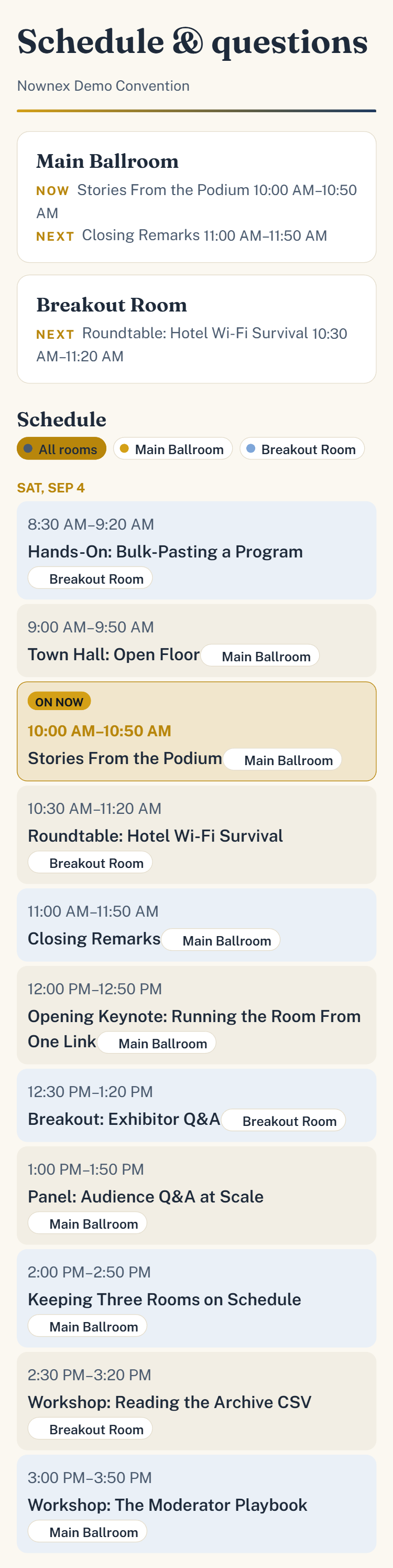
Sign in password-free (a code or link by email), then set up the event. Days, rooms and sessions go in from a spreadsheet or a list. Every page then knows what's on now and what's next, and when the day runs late you choose which session shows as current. Rooms without questions keep just the schedule and timer.
One link per role.
Moderators get a link for their phones, the presenter one for the tablet, the projector one for the display, and attendees a QR poster. Copy all of them from one card, or hand the whole room over in one message.
Manage questions and speaker time.
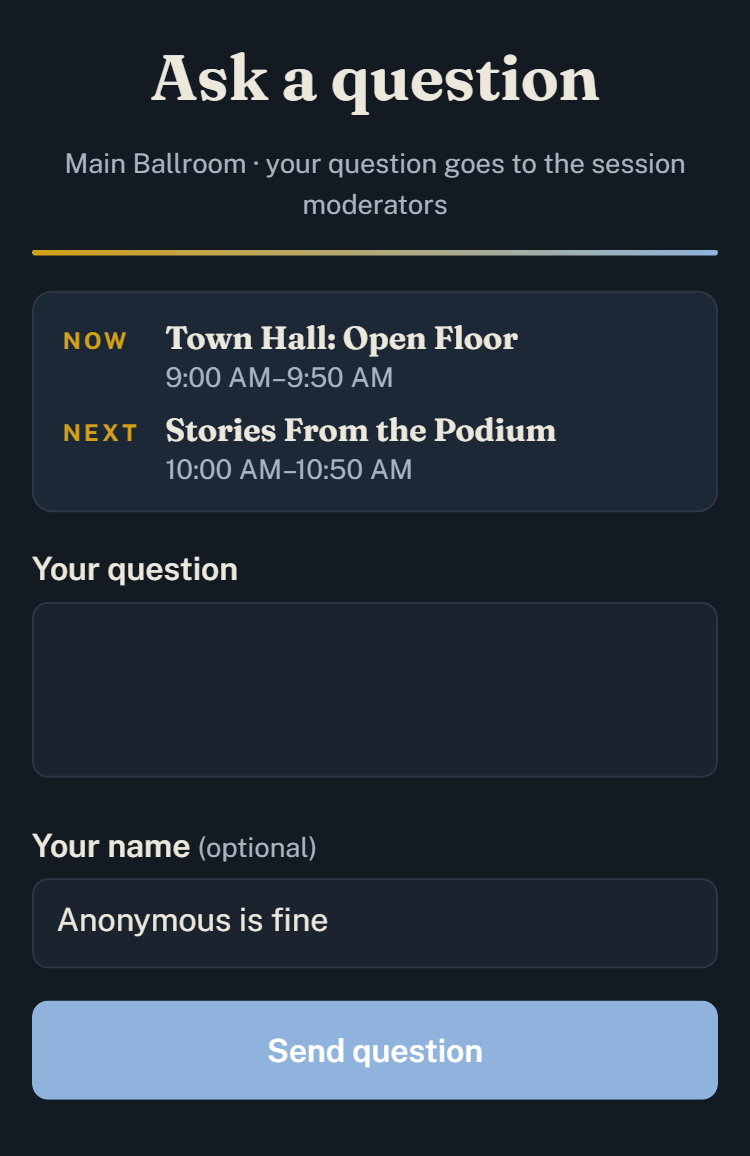
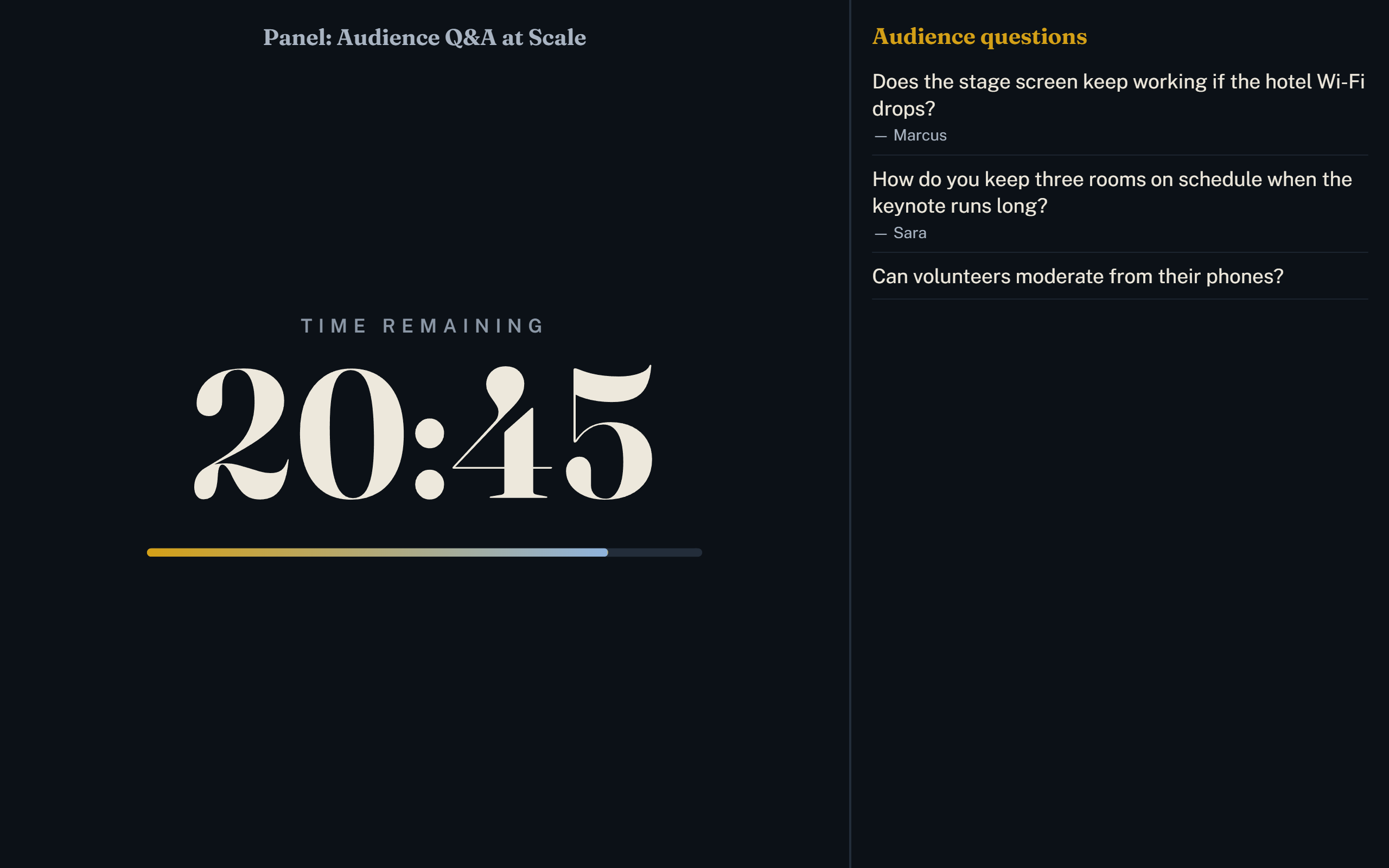
Attendees type from their seats. A moderator approves from a phone; the stage shows the question beside the timer, with your message when time's up. Short-staffed? Switch the room to Auto-display and questions go straight to the screen.
Keep the conversation afterward.
Keep submitted questions organized by session, including names when provided and which questions were marked as asked. Download the lot as a spreadsheet for the next program committee.
Try it in 60 seconds
The demo is a real event running right now at nownex.app/e/demo, with a moderator view and a stage display you can use.
- Ask a questionOpen the attendee page and type anything, like a guest with a phone.
- Approve itThe moderator view opens with the demo key built in. Tap Approve.
- Watch the stageYour question appears beside the countdown, the way the room would see it.
One look, everywhere.
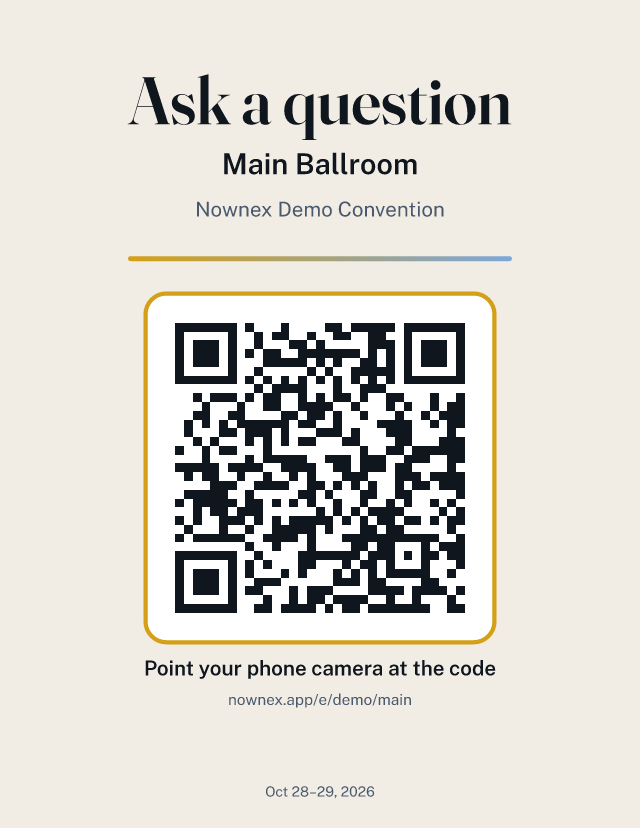
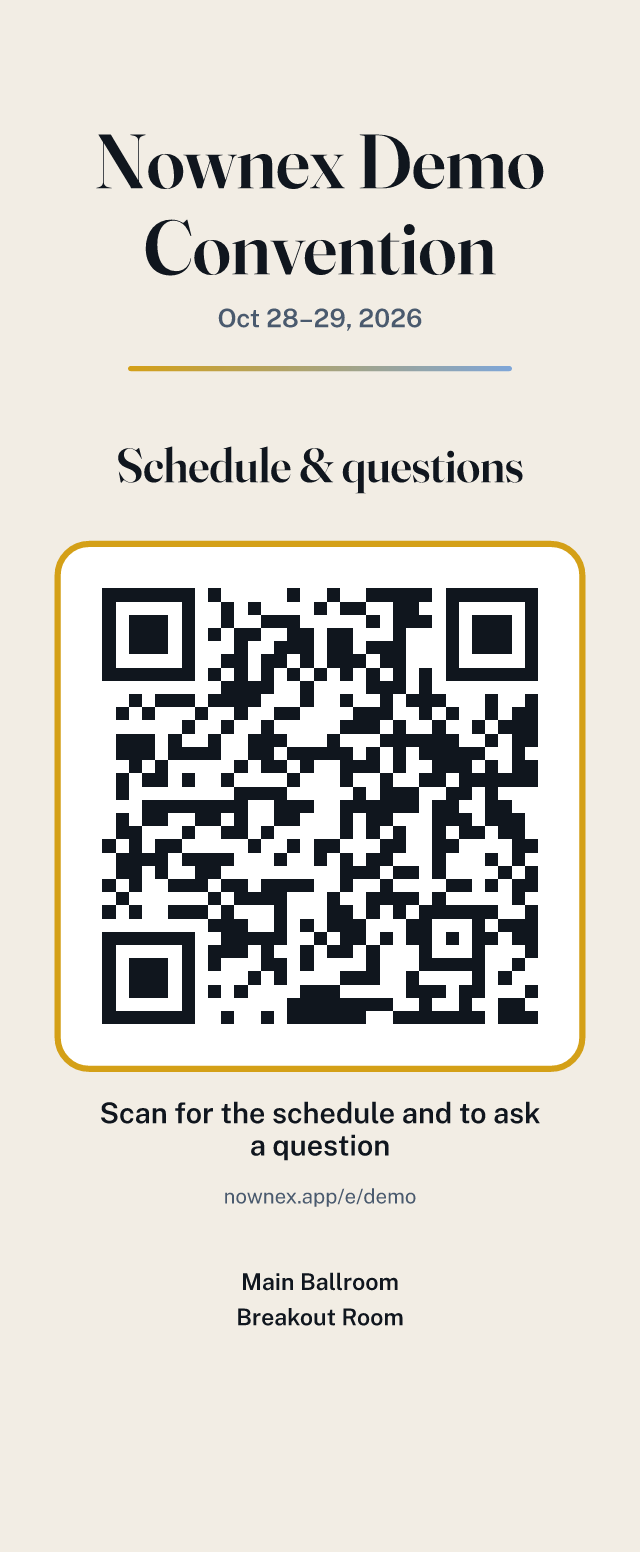
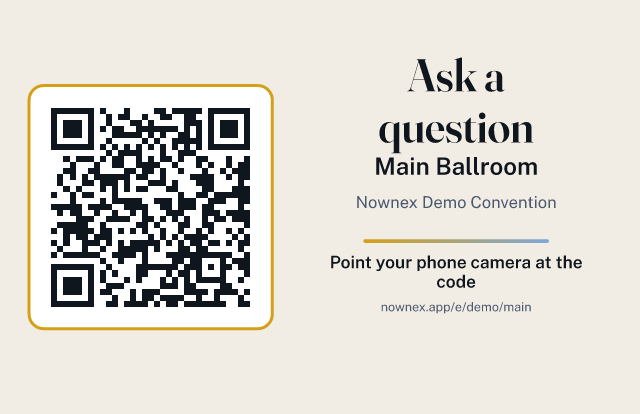
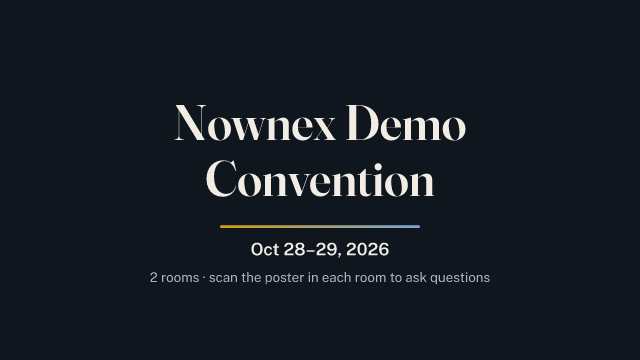
Event Pro takes your logo and colour and turns the whole program into a matching set: posters, signs, screens and slides, branded and ready to print or display. The posters, table signs and screen graphics carry their room's QR code, which opens that room's live schedule and question box: no app, no sign-in. The lobby sign lists every room with its own code. The deck has an opening slide and an “up next” slide per session, and the session slides carry the QR code too. These are the demo convention's; yours carry your branding.
Pricing
One payment per event5 rooms includedUp to 14 daysUnlimited sessions & questions
Generated event kit not included.
- Audience Q&A by QR code, 5 rooms included
- Moderator view: approve, mark asked, hide, close per session
- Stage display with countdown timer and messages
- Session-aware schedule with manual override
- Archive + CSV export
Everything in Event Pass, plus your branding and ready-to-use posters, signs and slides.
ZIP
Your complete branded event kit, generated from your setup.
Preview the kit ↑- Everything in Event Pass
- Your logos on the stage display and every event page
- Your accent colour across the kit
- No “Powered by Nownex.app” line
- Event kit: QR posters, table signs, lobby sign, screen graphics, slide deck
- Free until you publish. Build the event, add rooms and sessions and preview every page at no cost. You pay when you publish.
- Upgrading. Start on Event Pass and move to Event Pro any time before the event for the $10 difference.
- Cancelling. Delete the event before its first day for a full refund; the $10 Event Pro portion is nonrefundable after kit files are downloaded (details).
- More than 5 rooms? Contact us.
Your next event is on us.
Eligible US nonprofits, public schools and government organizations can receive one Event Pro event free. No card required. We review your organization's eligibility and email you a decision, usually within two business days.
Eligibility, how it works and the conditions
Who's eligible
- Organizations the IRS recognizes as tax-exempt under section 501(c): charities, associations, civic leagues, churches and other faith bodies.
- Public schools, colleges and government bodies that have an EIN.
How it works
- Apply with your organization's legal name, EIN and a contact email.
- We review your organization's eligibility and email you a decision, usually within two business days.
- Once approved, open any draft and choose Publish free with Event Pro. Nothing is charged.
Credit conditions
One credit per EIN, so organizations that share an EIN share one offer. Valid for 12 months from approval, on any event you publish, with the usual 14-day and 5-room limits. No cash value, not transferable. Existing customers welcome. Your credit is restored if you delete the credited event before its first day, unless kit files were downloaded.
| Event Pass | Event Pro | |
|---|---|---|
| Audience Q&A, moderator view, stage timer | ✓ | ✓ |
| Rooms | 5 included | 5 included |
| Archive + CSV export, questions grouped by session | ✓ | ✓ |
| Your logos on the stage display and event pages | — | ✓ |
| Your accent colour | — | ✓ |
| “Powered by Nownex.app” line | Shown | Removed |
| Event kit: QR posters (8.5×11, 11×17, custom), table signs, lobby sign, screen graphics, slides + PPTX, one ZIP | — | ✓ |
Events close automatically after their last day. Your archive and CSV stay available.
Built for events with scheduled talks and sessions
If people gather in rooms, sessions run on a clock and someone in the audience has a question, Nownex.app fits. Some of the places it's at home:
- Conferences, conventions & summitsMulti-room programs, keynotes, breakouts, several days
- Association & member meetingsAnnual meetings, chapters, federations, youth and cultural conventions
- Trade shows & exposStage sessions beside the floor, exhibitor Q&A
- Town halls, forums & debatesQuestions from the floor, moderated; fair time per speaker
- Faith, community & campus gatheringsAssemblies, retreats, lectures, student conferences
- Workshops, all-hands & ceremoniesTimed sessions, anonymous questions, schedule-only rooms
A closer look
How the pieces connect, and what each screen looks like.
What each screen looks like

Questions before you start
What you need, and what you don't.
Do attendees need to download an app?
No. They scan the QR poster (or open the link) and get a web page: the schedule, what's on now, and a box to ask a question. Any phone browser works. Nothing to install, no account, no email address asked for.
Do my moderators need accounts?
No. Each room has a shared moderator key. Whoever runs the room — staff, contractors or volunteers — gets the key and opens the moderator view on their own phone. Presenters get a separate key for the stage tablet. Only the organizer signs in, and that's password-free: a code or link by email.
Is there a password?
No. Sign-in is password-free: type your email and we send a 6-digit code and a link, and you use whichever is handier. Nothing to create, remember, reset or leak, and no password manager needed on the day. Attendees and moderators never sign in at all.
What equipment do I need?
Any device with a browser for each stage display (a tablet on the podium, or a laptop feeding the projector), the moderators' own phones, and the QR posters printed. No hardware to buy, nothing to install. Event Pro generates the posters, signs and slides for you.
Does it work if the venue Wi-Fi is bad?
The pages are small and load fine on a phone signal. The stage display keeps showing its last state if its connection drops and catches up when it returns. An internet connection is still needed to run the rooms.
How long can an event run?
Up to 14 consecutive days, with up to 5 rooms and unlimited sessions and questions. A longer program is published as more than one event.
Can I change the dates after I've paid?
Yes, until the first day begins, as long as the event stays in the future and your sessions still fit the new days. Once the event starts, the days are fixed. Rooms and sessions stay editable throughout.
What if I need to cancel?
Delete the event from your dashboard before its first day and the full payment is refunded automatically to the card you paid with, usually within 5–10 business days. Prefer to keep the draft? Email hello@nownex.app instead. From the first day on, payments are non-refundable unless the service failed during your event. One exception: once you've downloaded any kit file on Event Pro, the Pro portion ($10) stays, because the files have been delivered.
Do I need Event Pro?
Event Pass runs the rooms. Event Pro adds your logos and accent colour on every screen, removes the “Powered by Nownex.app” line and generates the print and screen kit. Start on Pass and upgrade for the difference any time before the event.
What happens after the event?
It closes automatically after its last day. Every question, grouped by session, stays in your archive with CSV export. Attendee pages show that the event has ended.
Is there a nonprofit offer?
Yes. Your next event is on us. Eligible US nonprofits, public schools and government organizations can receive one Event Pro event free. No card required. That means organizations the IRS recognizes as tax-exempt under section 501(c): charities, associations, civic leagues, churches and other faith bodies, and public schools, colleges and government bodies that have an EIN. We review your organization's eligibility and email you a decision, usually within two business days. One credit per EIN, so organizations that share an EIN share one offer. Valid for 12 months from approval, on any event you publish, with the usual 14-day and 5-room limits. No cash value, not transferable. Existing customers welcome. Check eligibility & apply.
Can I try it first?
Yes. Build an event for free and preview every page; you pay only when you publish. The live demo is a real running event you can use right now, moderator view and stage display included.
Ready when your program is.
Build the event free, preview every page, publish when it's right. From $19.99 per event, no subscription.